
How to Install a Face Time Attendance System?
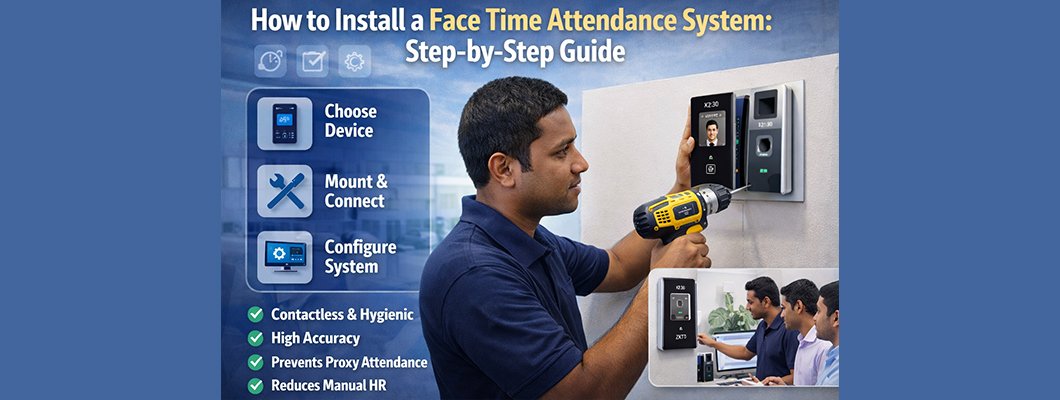
How to Install a Face Time Attendance System: Step-by-Step Guide
A Face Time Attendance System is a modern biometric solution that uses facial recognition technology to record employee attendance accurately and securely. It eliminates issues like buddy punching, manual errors, and time theft, making it ideal for offices, factories, schools, hospitals, and commercial organizations.
This guide explains how to install a face time attendance system properly, from preparation to final testing.
Step 1: Choose the Right Face Attendance Device
Before installation, select a device that matches your requirements. Consider:
Number of users (small office or large factory)
Face capacity and record storage
Support for mask detection (if needed)
Connectivity options (LAN, Wi-Fi, USB)
Integration with payroll or HR software
Popular brands include ZKTeco, Hikvision, Dahua, Anviz, and Suprema.
Step 2: Select the Proper Installation Location
Correct placement is critical for accurate face recognition.
Install at eye level (usually 1.4–1.7 meters from the ground)
Avoid direct sunlight, strong backlight, or shadows
Place near the main entry/exit point
Ensure good ambient lighting
Avoid crowded or moving backgrounds
Step 3: Mount the Device
Fix the mounting bracket on the wall
Secure the device firmly using screws
Ensure the device is stable and vibration-free
Keep a nearby power source and network point
Step 4: Connect Power and Network
Connect the device to power (adapter or PoE if supported)
Connect to the network using:
LAN cable (recommended for stability)
Wi-Fi (if supported)
Check that the device boots properly and shows network connectivity.
Step 5: Configure Device Settings
From the device menu:
Set date and time
Choose language
Assign admin access
Configure attendance modes (check-in/check-out)
Enable face detection, liveness detection, or mask detection if available
Step 6: Enroll Users (Face Registration)
Register each employee’s face
Ask users to look straight at the camera
Capture multiple angles if supported
Assign user ID, name, department, and role
Verify face recognition accuracy after enrollment
Step 7: Install and Configure Attendance Software
Install the manufacturer’s attendance or HR software on a PC or server
Add the device using IP address or device ID
Sync user data and attendance logs
Configure:
Working hours
Shifts
Overtime rules
Attendance reports
Step 8: Test the System
Perform test check-ins and check-outs
Verify real-time data transfer
Confirm report accuracy
Check recognition speed and distance
Adjust camera angle or lighting if needed
Step 9: User Training and Maintenance
Train staff on proper face positioning
Clean the camera lens regularly
Update firmware and software when available
Backup attendance data periodically
Benefits of Face Time Attendance Systems
Contactless and hygienic
High accuracy and fast recognition
Prevents proxy attendance
Reduces manual HR workload
Suitable for high-traffic environments
Techdeal – Sales & Support All Over Bangladesh
Techdeal is a trusted provider of Face Time Attendance Systems in Bangladesh, offering complete solutions from product selection to installation and after-sales support.
We provide:
Genuine biometric devices from leading brands
Professional installation and configuration
Attendance software setup and training
Warranty, maintenance, and technical support
Nationwide sales and service coverage across Bangladesh
Whether you need a solution for a small office or a large enterprise, Techdeal ensures reliable performance and long-term support.
Choose Techdeal for smart attendance solutions that grow with your organization.

Leave a Comment